File:Windows-command-prompt.png: Difference between revisions
From LogicalDOC Community Wiki
Jump to navigationJump to search
Launching the batch file register-docPrint_ServiceXML.bat to install the Task where you see the password prompt for the user set at execution |
m →Summary |
||
| Line 1: | Line 1: | ||
== Summary == | == Summary == | ||
Launching the batch file register-docPrint_ServiceXML.bat to install the Task where you see the password | Launching the batch file register-docPrint_ServiceXML.bat (from a command prompt opened as administrator) to install the Task where you see the password request for the user set at execution | ||
Latest revision as of 08:43, 28 January 2026
Summary
Launching the batch file register-docPrint_ServiceXML.bat (from a command prompt opened as administrator) to install the Task where you see the password request for the user set at execution
File history
Click on a date/time to view the file as it appeared at that time.
| Date/Time | Thumbnail | Dimensions | User | Comment | |
|---|---|---|---|---|---|
| current | 08:40, 28 January 2026 | 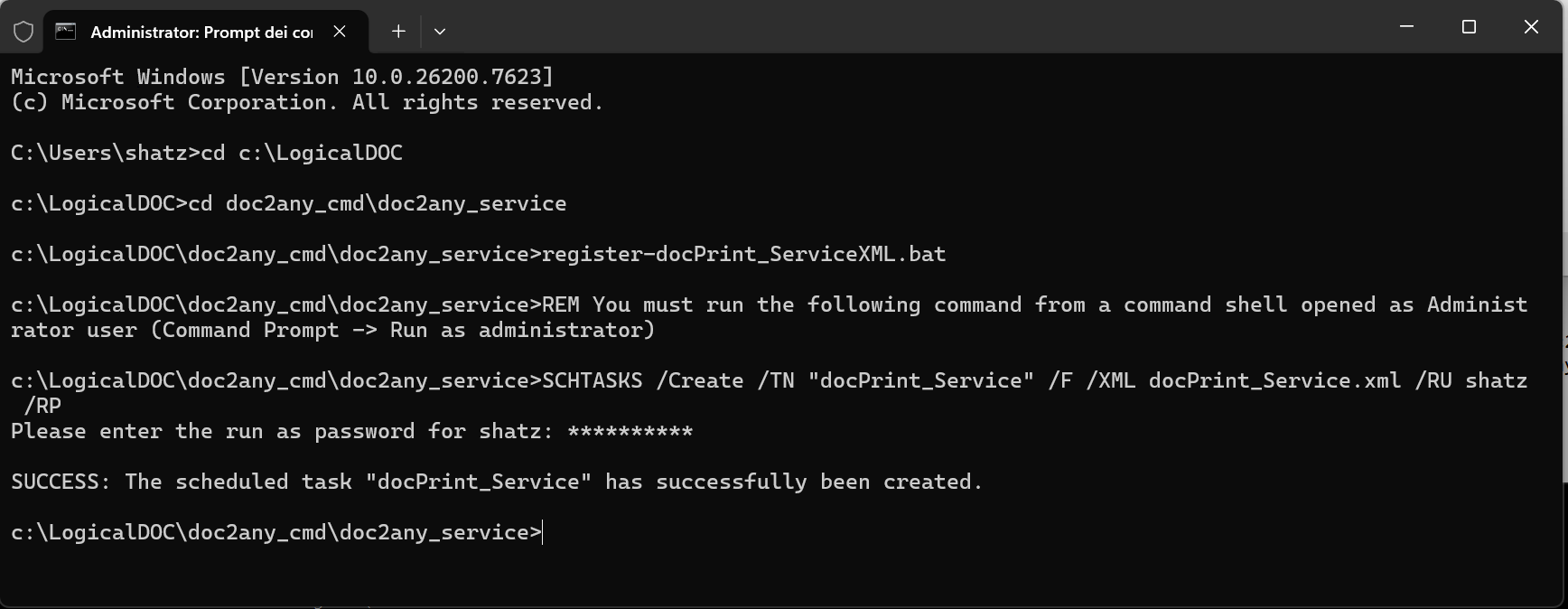 | 1,736 × 674 (32 KB) | Blucecio (talk | contribs) | Launching the batch file register-docPrint_ServiceXML.bat to install the Task where you see the password prompt for the user set at execution |
You cannot overwrite this file.
File usage
The following page uses this file:


